Documentation
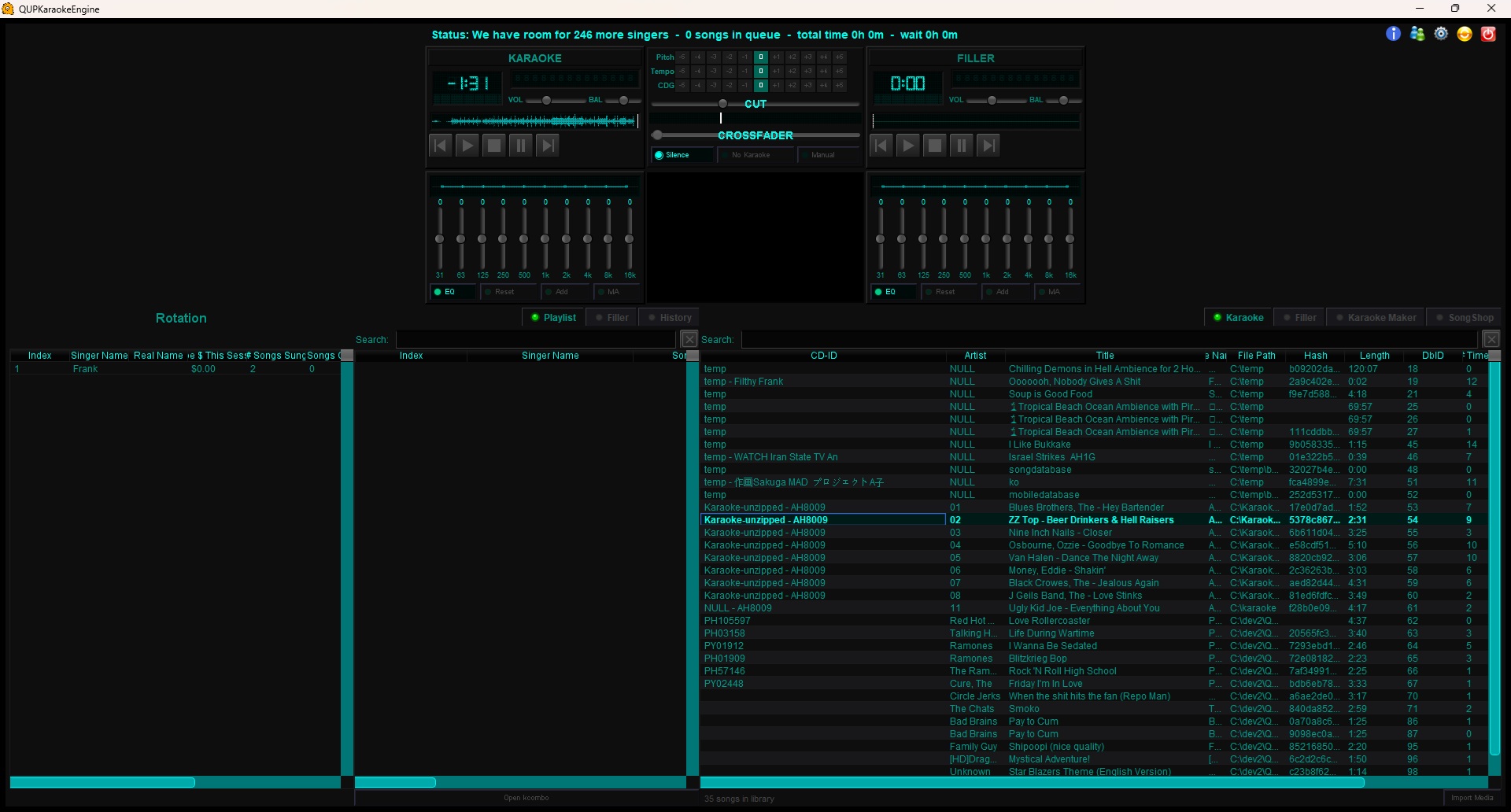
QUP Karaoke Engine Documentation
Prerequesite: QUP requires Java, please see our quick start guide below on obtaining it for your system.
For Developers
- Plugin API — Build your own plugin: lifecycle, PluginContext, new playable formats, audio taps and DSP
- Skins — Make your own skin: the pack format, parts and layers, colour tokens, meter and knob gradients, and testing
Getting Started
- Quick Start Guide — Import media and queue your first singer in under five minutes
DJ Mode
- DJ Mode — Switching in, two decks, beatgrids and SYNC, scratch, the crossfader, video decks, and Auto DJ
Main Interface
- Main Interface Overview — General layout and panel locations
- Quick Access Buttons — About, Singers Database, New Session, Config, Close App
- About Dialog — Version info, licensing, EULA, error log, OBS status, accounting
- Queuing Songs — Double-click and right-click song queuing, singer entry
- Playlist — Queue management, drag-and-drop reordering, right-click options, kcombo
- Filler Playlist — Background music queue between performances
- History — Session play history and right-click options
- Rotation — Singer rotation table, stats, right-click management
- Crossfader — Crossfade slider, CUT button, Silence/No Karaoke/Manual modes
- Equalizer — 10-band EQ, per-song presets, Memory Apply
Song Browser
- Karaoke Media Library — Song library browsing, searching, right-click options
- Filler Media Library — Filler music browsing and enqueuing
- File Management — Bulk rename, import/rename formats, manual edit with regex
- Karaoke Maker — AI track creation, job queue, output settings
- SongShop — Party Tyme catalog search and on-demand purchasing
- Mic Effects — Live microphone reverb and delay, BPM-synced echo, per-song presets
Config Panel
- Karaoke — Closing time, rotation options, singer wait times, queue locks
- Network — HTTP/HTTPS server, OSC messaging, remote device control
- Media — Media library folders, filler music, crossfade
- Database — Song name formatting, backups, import/export
- Output — Audio driver, headphone cue, buffer size, video system
- Cloud — QUP Cloud connection, mobile queuing, venue registration
- Kiosk — Database vs party mode, paid system, ID cards, registered kiosks
- Skin & Layout — Skins, font size, row layout and height weights
- Bribes — Bribe system rules, cost calculator, simulator
- Simulation — Night simulation, session playback and logs
- Karaoke Maker — AI track creator, vocal separation, lyrics transcription
- Music Video Backgrounds — YouTube music video backgrounds for CDG tracks
- OBS Recording — Automatic per-singer recording, scene switching, lower thirds
- SongShop — Party Tyme integration, on-demand track purchasing
- Discord Party — Run your Discord karaoke room: auto-mute, on-stage role, missing-singer paging
- MIDI Karaoke — .mid/.kar playback, SoundFont banks, per-instrument mixer
- AutoFiller — Automatic queue top-up from your filler library or a playlist
- Genre Tagger — Fill in missing genres across your library, offline BPM detection
- Internet Radio — Thousands of stations as background music
- Metadata Editor — Fix artist, title, album, genre and year on individual songs
- Plugin Manager — Turn plugins on and off, safe mode, where plugin data lives