Settings-Song Purchases
Song Purchases
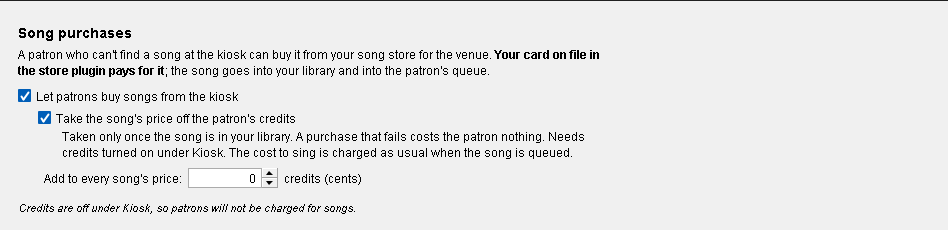
Open it from Preferences → Misc → Song Purchases (main menu → Preferences, or Ctrl+P).
A singer who can't find a song at the kiosk can buy it from your song store for the venue. Your card on file in the store plugin pays for it; the song goes into your library and into the singer's queue. You need a song store plugin, such as SongShop, with its catalog downloaded.
Let patrons buy songs from the kiosk: turns it on. Off by default.
Take the song's price off the patron's credits (on by default): the singer pays for the song from their credits. It is taken only once the song is in your library, so a purchase that fails costs the singer nothing. This needs credits turned on under Kiosk (Use Paid System). The cost to sing is charged as usual when the song is queued.
Add to every song's price: an amount, in cents of credit, added to the store's price of every song a singer buys. 0 adds nothing.
The line at the bottom tells you whether it's ready, for example:
- "No song store is installed. Get SongShop from the Plugin Browser."
- "Your song store has no catalog yet. Open it and press Update Catalog."
- "Credits are off under Kiosk, so patrons will not be charged for songs."
- how many songs singers can buy.
Changes are saved as you make them.
The night's purchases show on the bar terminal as Song Purchase $ and Song Purchase Profit (see Bar Terminal).
Updated on version 2.35.0, October 31, 2026