Settings-Songshop-Plugin
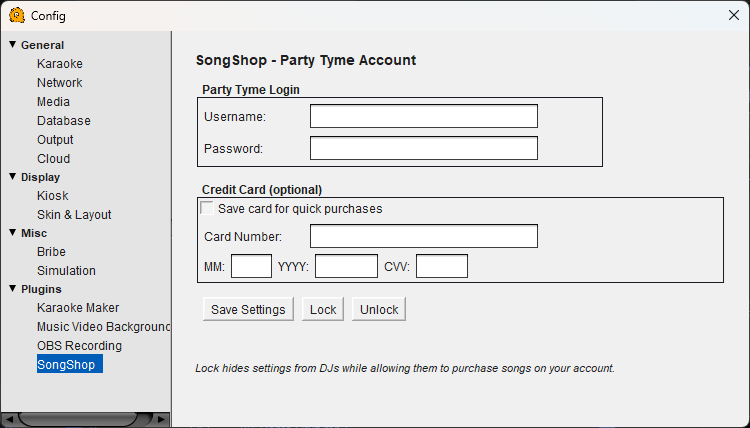
SongShop Configuration
SongShop connects QUP to the Party Tyme karaoke library, letting you purchase and download individual karaoke tracks on demand. If a singer requests a song you don't have in your library, you can buy it right from QUP and have it ready in seconds.
Party Tyme Login
Username — Your Party Tyme account username.
Password — Your Party Tyme account password.
You need an active Party Tyme account to use SongShop. If you don't have one, visit the Party Tyme website to sign up.
Credit Card (optional)
Save card for quick purchases — When enabled, your card details are stored locally so you can buy tracks with one click instead of entering payment info each time.
Card Number — Your credit card number.
MM / YYYY / CVV — Your card's expiration date and security code.
Lock / Unlock
Save Settings — Saves your SongShop credentials and card details.
Lock — Hides the SongShop settings panel so other DJs using your system can purchase songs on your account without seeing or changing your login credentials or card details.
Unlock — Reveals the settings again. Only use this when you need to update your account info.
This is especially useful for multi-DJ venues — you can set up your Party Tyme account once, lock the settings, and let guest DJs buy songs during their sets without exposing your account details.