Settings-LRC-Lyrics-Plugin
LRC Lyrics Configuration
Plays MP3+LRC karaoke. An LRC file is a plain text file of lyrics with a timestamp on each line, and sometimes on each word. QUP draws those words on the singer screen in time with the music, so a song with no CDG graphics can still be sung.
LRC Lyrics comes with QUP. It has no Media Library tab; its settings are in Preferences → Plugins → LRC Lyrics.
Adding MP3+LRC songs
Put the .lrc file in the same folder as the audio, with the same name: My Song.mp3 and My Song.lrc. The audio can be .mp3, .wav or .ogg. When QUP scans your library folders, it picks these songs up as karaoke, the same way it pairs an MP3 with its .cdg.
A few other cases QUP handles:
- Zipped songs: a zip holding the audio and one .lrc file works, even if the .lrc has a different name.
- LRC saved as .txt: some lyric files come with a .txt ending. QUP reads them as LRC if they have the timestamps. A plain .txt with no timestamps isn't lyrics: the scan skips that song and its report says "the .txt beside it has no LRC timestamps".
What shows on screen
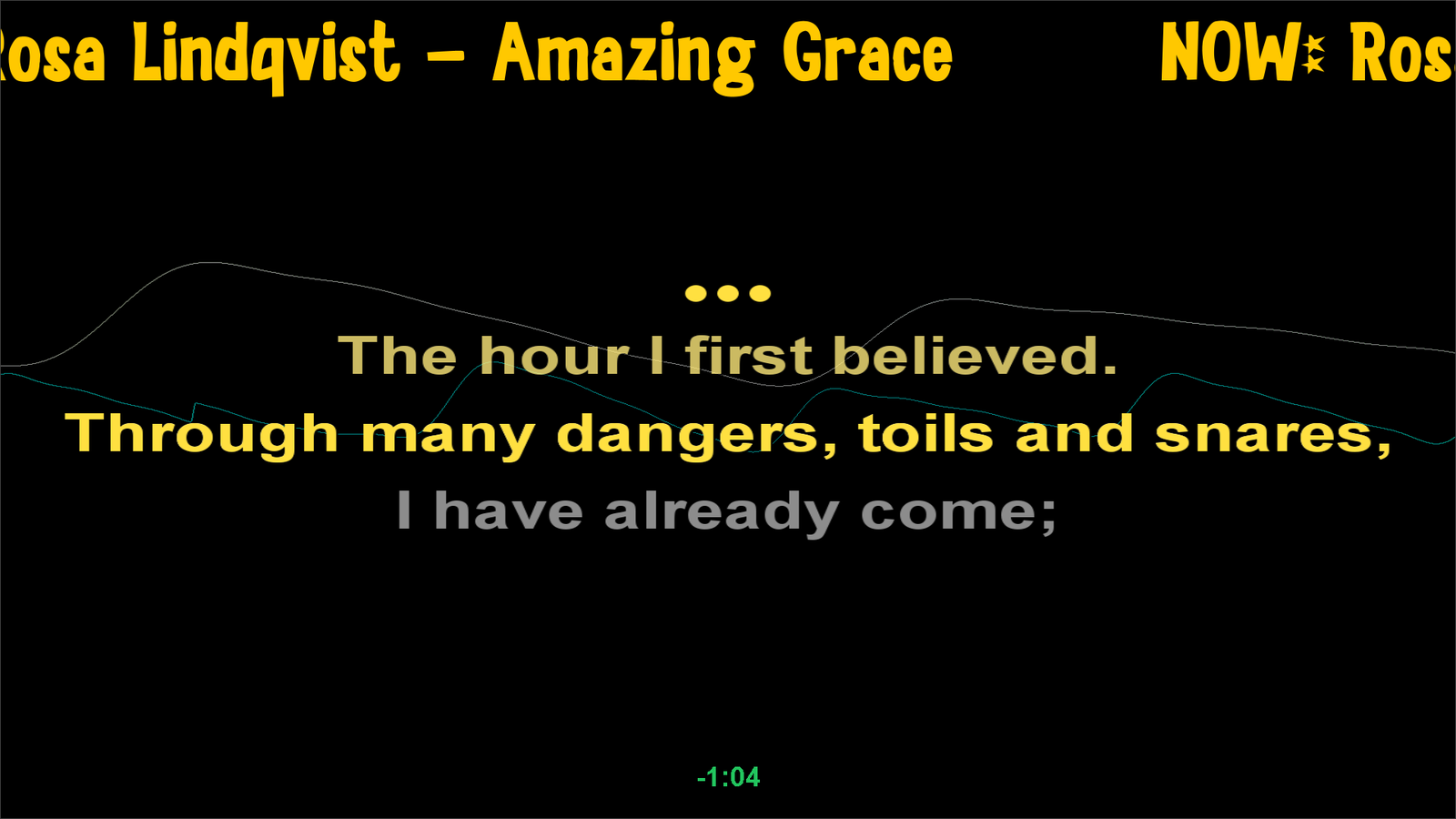
- Word-timed files (often called enhanced LRC) highlight word by word.
- Line-timed files highlight a whole line at a time.
- A timed line with no words clears the screen, and the next line starts a fresh page.
- An [offset:] line at the top of the file shifts all the lyrics earlier or later, as the file's author set it.
- Lines that start with M:, F: or D: mark male, female and duet parts. QUP can colour them; turn that on in Preferences → Display → Lyrics (see Lyrics).
How the words look (layout, colours, size, the sweep, a lead-in countdown) is set in Preferences → Display → Lyrics, under Look for: Text lyrics (LRC). The Lyrics page explains those settings.
If a file has no timed lines at all, the song still plays, without words on screen.
Settings
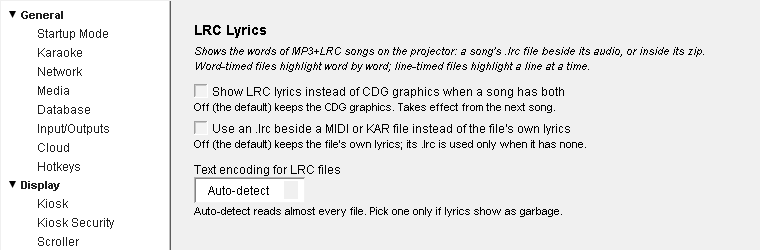
Show LRC lyrics instead of CDG graphics when a song has both: when a song has a .cdg and a .lrc beside it, show the LRC words instead of the CDG graphics. Off by default, so CDG wins. Takes effect from the next song.
Use an .lrc beside a MIDI or KAR file instead of the file's own lyrics: MIDI karaoke files usually carry their own lyrics. Turn this on to use a matching .lrc file instead. Off by default: the file's own lyrics are used, and its .lrc only when it has none. (MIDI and KAR songs need the MIDI Karaoke plugin.)
Text encoding for LRC files: how QUP reads the letters in the file. Auto-detect (the default) reads almost every file, including Japanese, Chinese, Korean and Thai lyrics. Only pick a specific encoding (UTF-8, Shift_JIS, GBK, GB2312, Big5, EUC-KR, TIS-620 or windows-1252) if the lyrics show as garbage.
Your choices are saved when you close Preferences.
Updated on version 2.35.0, October 31, 2026